India
$1.99 / start
Select your requirement during WhatsApp sign-up.
Start on WhatsApp→
 WhatsApp · Workforce attendance
Say goodbye to tedious attendance tracking — it's one-message easy. Mark presence, request leave, attach work logs, and get owner reports without installing another app.
Simple entry pricing for India. Global teams — talk to us for a scoped plan.
India
$1.99 / start
Select your requirement during WhatsApp sign-up.
Start on WhatsApp→Rest of world
Custom
Enterprise seats, multi-site fences, and portal access.
Contact us→Built so employees can mark attendance, request leave, and reach HR information in the app they already use. Owners get live and monthly reports, geo-fenced sites, and contact-card onboarding — the same product family that started as autowhat.app, now on Autowhat AI.
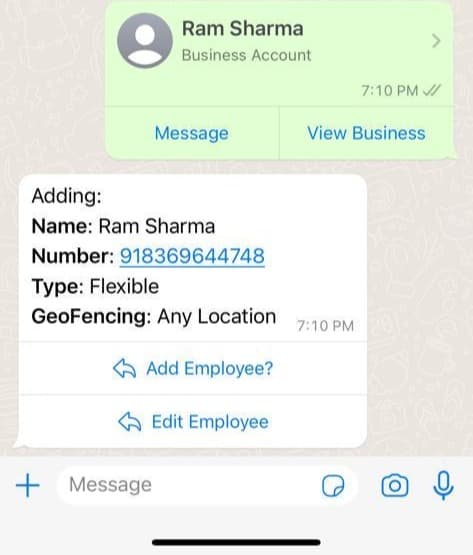
Real WhatsApp flows from the live product — owner controls on the left, team reports on the right.
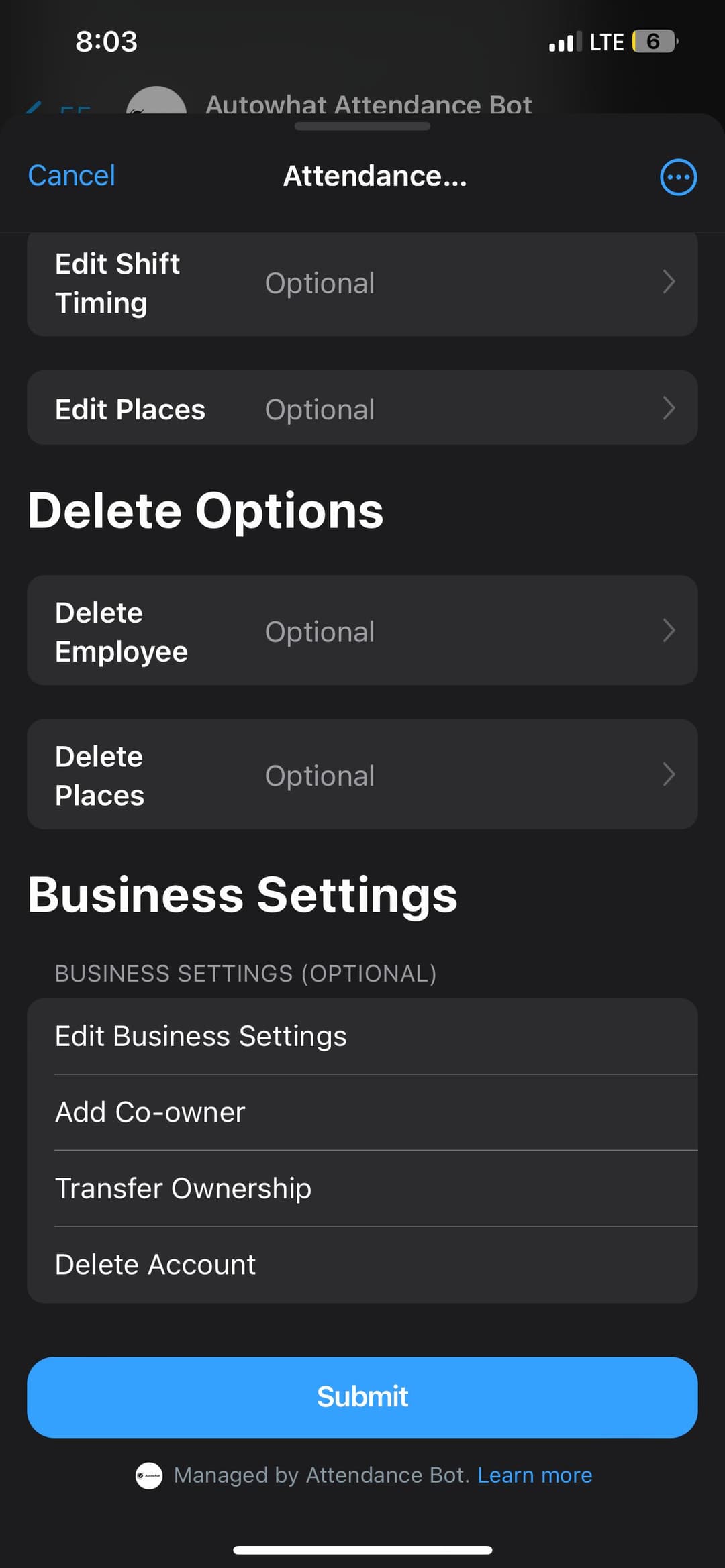
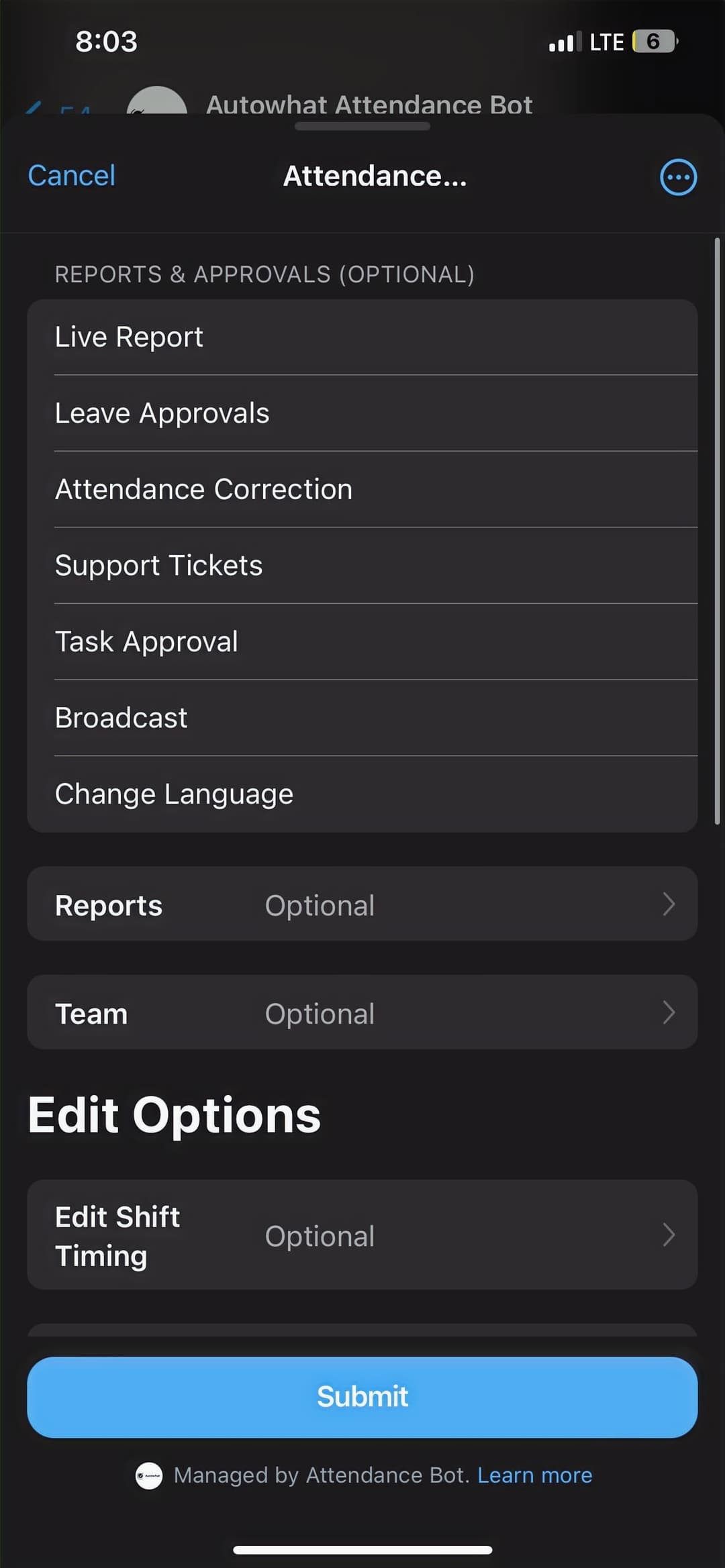
Employer onboarding runs entirely inside WhatsApp — from first "Hi" to employee invite.
Send "Hi" to +91 90824 06664 via WhatsApp.
Tap the "Sign Up" button in the bot reply to start employer onboarding.
Select single or dual language. English is the default; add a second language when field teams need it.
Pick the language(s) the bot will use for attendance prompts, leave flows, and alerts.
Share your current location so shift windows and reports align to the right clock.
Enter your name and company name — this becomes the owner profile for the workspace.
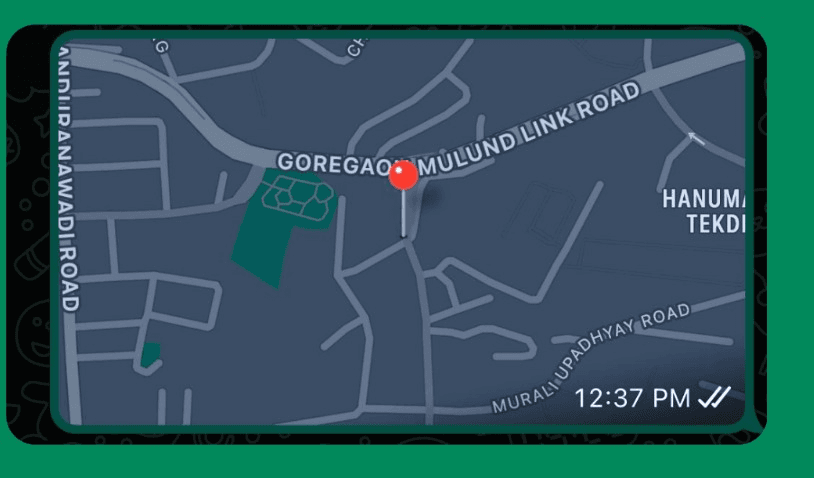
Send the site location via WhatsApp, or choose "No" and set fences later from the portal.
Name each location and set the radius in metres so check-ins only count inside the boundary.
Send employee contact cards. The bot messages each person with check-in instructions automatically.
Step 1: share a live location to fence a site. Step 2: send contact cards to register the team.
Type "Hi" — the bot records presence for the day. No paper sheets, no separate app install.
Type "Request Leave" and follow the guided flow for dates, leave type, and comments.
Type "Attendance History" for a personal summary so employees stay on top of their record.
Type "HR Resources" for handbook links, benefits info, and HR contact details.
Ask common HR questions — policies, leave balances, and attendance rules — in chat.
Type "Help" anytime for commands and troubleshooting. Issues route without leaving WhatsApp.
After check-in, upload PDF, video, audio, or text. Logs store and appear in owner reports.
See who is present, absent, and any exceptions for the current day — compiled as events land.
Month-end attendance trends in one place so you can spot gaps before payroll closes.
Send a location to create a work site fence. Assign employees to one or many sites.
Add or edit staff by sharing a WhatsApp contact card — no CSV gymnastics to get started.
Keep teams connected — birthdays, holidays, absence nudges, and one-tap broadcasts.
Notify the employee and the owner about upcoming workplace birthdays.
Keep the team updated on upcoming holidays so schedules stay realistic.
If someone misses check-in for a day or shift, alert them — and optionally their supervisor.
Send important messages to the whole team (or a segment) in one push from the bot.
A WhatsApp-native HR attendance tool: mark daily attendance, request leave, access HR resources, attach work logs, and run owner reports — without forcing another app install.
Yes. Attendance is recorded for authorised owners and managers only, with Google Sheets-style export paths where configured, and enterprise controls available on the Autowhat AI platform.
Yes. It handles common queries on attendance policy, leave balances, and related HR topics — ask in natural language and it responds in chat.
Message "Hi" on WhatsApp to +919082406664, or open the full platform at xforce.autowhat.app for the complete feature set and web portal.
Message the bot to sign up, or open the full Autowhat platform for geo-fences, payroll reports, and the web command center.